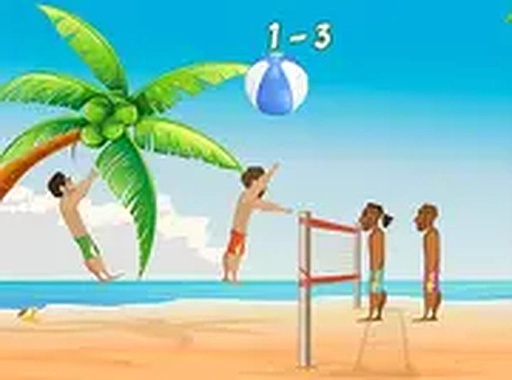
Sunny Beach Volleyball Challenge is a charming casual sports game that captures the fun of beach volleyball. Its simple controls make it accessible for all ages, while the star collection system adds a rewarding progression. The two-player mode is perfect for friendly competition, and the ability to unlock colorful balls keeps the gameplay fresh. A great choice for quick, enjoyable sessions.
Sunny Beach Volleyball Challenge is a free online sports game that brings the joy of beach volleyball to your browser. Designed for quick and lighthearted play, it offers a straightforward yet engaging experience suitable for players of all ages. The main goal is to keep the ball in the air and score points by landing it on the opponent's side of the court. A special feature is the appearance of sparkling stars during matches; gathering these stars lets you buy new and colorful volleyballs from an in-game shop, adding variety and a sense of progress. The game can be played alone against a computer opponent or with a friend in two-player mode, making it a friendly and accessible choice for casual gaming sessions.
To play Sunny Beach Volleyball Challenge, you use your keyboard or mouse on a desktop computer. The controls are simple: move your player left and right to get under the ball, then hit it back over the net. The game can be played solo against a computer opponent or with a friend in two-player mode. Watch for the stars that appear during the match—collecting them allows you to unlock new and colorful volleyballs from the in-game shop. The goal is to score points by landing the ball on your opponent's side while preventing it from touching the ground on yours. The first player to reach the target score wins the match. You can adjust the game settings for difficulty or play in full screen mode for a better view. No downloads or installations are required to start playing.
Sunny Beach Volleyball Challenge includes simple keyboard and mouse controls, making it easy to pick up and play. It features a star collection system that lets you unlock new volleyballs from an in-game shop, adding a layer of progression. The game supports solo play against a computer opponent as well as two-player mode for shared fun. Full screen mode is available for a more immersive experience. The game runs smoothly in a browser with no downloads or installations needed, offering a quick and accessible way to enjoy volleyball.
To improve your performance in Sunny Beach Volleyball Challenge, practice positioning your player accurately under the ball to time your hits effectively. Pay close attention to the stars that appear during matches, as collecting them unlocks new volleyballs that may offer different gameplay feels. When playing against the computer, observe its patterns and adjust your strategy accordingly. In two-player mode, communicate with your partner to cover the court efficiently. Adjust the difficulty settings to match your skill level, and use full screen mode to minimize distractions. Regular practice will help you master the timing and control needed to outscore your opponent.










Player Reviews
Sign in to comment
You must be logged in before posting a review or rating.
No account? Create one
No comments yet. Be the first to comment!