 GDevDragon Hub
GDevDragon Hub
GDevDragon Hub

The Lion Guard Uncover Images Puzzle Game delivers a straightforward and calming experience. Each level presents a new image to reveal, and the scratching action feels satisfying. The controls are responsive on both desktop and mobile. With no ads or distractions, it is a safe choice for children. The game offers good replayability as players can revisit levels to enjoy the characters again. It is a pleasant way to unwind.
The Lion Guard Uncover Images Puzzle Game is a relaxing puzzle experience based on the popular Disney Junior series. Players scratch away colorful layers to reveal hidden pictures of characters from The Lion Guard. Each level presents a new image to uncover, making the game a delightful way to engage with familiar faces from the show. Designed for young children and fans of the franchise, this game offers a calm, no-pressure activity that is safe and appropriate for all ages.
To play, simply select a level to start. On a computer, hold down the left mouse button and swipe across the screen to scratch off the covering. On phones or tablets, hold your finger on the screen and swipe to scratch. The goal is to uncover the entire image hidden beneath the layer. The game is intuitive and requires no special skills—just a steady hand and patience. Each new level presents a different picture to reveal, keeping the experience fresh and engaging.
Relaxing scratching gameplay suitable for all ages. Easy-to-learn controls work on both desktop and mobile devices. Each level reveals a new hidden image featuring characters from The Lion Guard. No time limits or pressure, making it perfect for casual play. Safe, family-friendly content with no violent or inappropriate material. The simple mechanics make it easy to start, while the satisfying scratching action keeps players engaged.
Take your time and enjoy the process—there are no time limits, so you can scratch at your own pace. Use smooth, steady strokes to uncover the image evenly. If you are playing on a touchscreen, try using your fingertip for more precise control. For desktop users, a mouse with a comfortable grip can make longer sessions more enjoyable. Practice on easier levels to get a feel for the scratching motion before moving on to more detailed images.

Charming platformer with a unique giant world. Smooth controls and a heartwarming story make it a delight.

A gentle, educational game that teaches animal names and improves focus. Great for young kids.
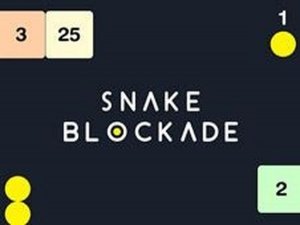
Simple snake puzzle with a clever number block twist. Great for quick play sessions.

Charming platformer with clever flight mechanics. Levels are well-paced and family-friendly.

Colorful and relaxing puzzle game. Simple controls with strategic depth. Great for short breaks.

Clean controls and satisfying challenge. Great for quick mental workouts.

A gentle garden game that sharpens aiming skills. Perfect for relaxing breaks.